
Pixelied is a cloud-based online graphic design suite and photo editing tool tailored for non-designers and professionals alike, enabling quick creation of marketing, social media, and e-commerce visuals without software downloads. It combines core photo adjustment tools with pre-made templates and mockups to streamline design workflows.
Pixelied stands out as a lightweight, browser-based solution that balances ease of use with functional depth—perfect for small business owners, social media managers, and bloggers needing fast visual content. Its pre-sized templates for platforms like Facebook, YouTube, and Instagram eliminate manual resizing, saving significant time for busy creators.
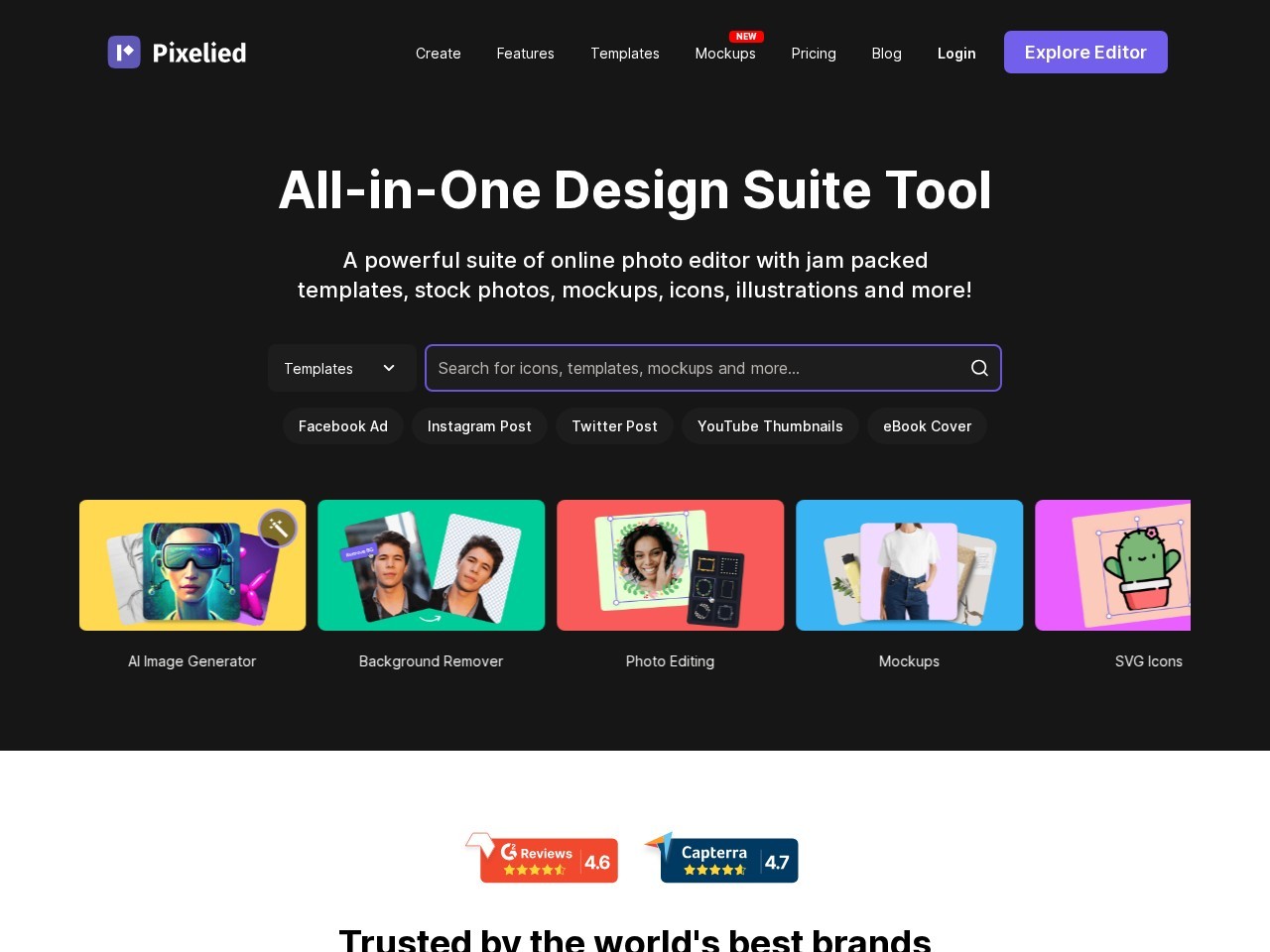 网站截图
网站截图
Pixelied excels at creating platform-optimized visuals for common digital use cases:
Customize pre-sized templates with product images, text overlays, and brand colors to boost click-through rates for videos.
Generate promotional banners for online stores using mockup generators and product-focused design elements.
Add effects, stickers, and quick edits to create engaging vertical content in minutes.
Design promotional posters for events or campaigns using vector elements and ready-to-edit layouts.
Brighten, sharpen, apply filters, resize, and crop images to refine visual assets.
Platform-specific templates for social media, ads, and covers to avoid manual sizing.
Create product mockups with real-world backgrounds to showcase items professionally.
Access stock photos, icons, and shapes to enhance designs without external assets.
Convert images to SVG, PNG, or JPG formats for different use cases (web, print).
Add custom text, shapes, or watermarks to personalize designs quickly.
Choose a pre-sized template (social media, banner, etc.) or start from a blank canvas.
Add your own photos or access Pixelied’s library of stock images and vectors.
Edit elements, apply filters, adjust colors, and add text to match your brand.
Save the final design in your preferred format and resolution.
Create professional product visuals without hiring a freelance designer.
Produce platform-optimized posts and stories efficiently for multiple accounts.
Design header images, quote graphics, and post visuals in bulk.
Build ad creatives and campaign banners quickly for social or search platforms.
Practice design skills using pre-built tools without expensive software.
Make product thumbnails, banners, and listing visuals to boost conversions.
Use Pixelied’s templates and mockups to speed up routine tasks, focusing on unique creative elements.
Design campaign visuals on demand, aligning with brand guidelines without waiting for design teams.
Update product visuals for seasonal sales, discounts, or new launches in minutes.
Create daily social content and story visuals to maintain consistent posting schedules.
Design YouTube thumbnails and channel art to increase video visibility and engagement.
Deliver design projects to clients faster using Pixelied’s intuitive interface and templates.
100% browser-based, accessible from any device with internet, no installation needed.
Core tools are free, making it affordable for individuals and small businesses.
Templates sized for specific platforms eliminate manual resizing errors.
Built-in mockups help showcase products for e-commerce use cases seamlessly.
| 对比项 | Pixelied | Canva | Adobe Express |
|---|---|---|---|
| 易用性 | 高,侧重快速编辑,适合新手 | 高,模板丰富,全功能入门友好 | 中等,需适应Adobe生态 |
| 免费功能 | 含基础编辑、模板、mockups | 含大量模板,部分功能受限 | 含基础工具,较少模板资源 |
| 专业工具 | 中等,核心编辑满足常规需求 | 丰富,含进阶设计元素 | 丰富,与Adobe工具联动 |
| 平台适配 | 多,含YouTube、Twitch等小众平台 | 全,覆盖主流社交平台 | 主流,重点在广告和社交 |
Pixelied offers a free plan with core editing tools, limited access to templates, and export resolution constraints. Its Pro subscription (starting at ~$25/month for individual plans) unlocks unlimited templates, high-resolution exports, mockup generators, and team collaboration features.
I’ve used Pixelied for 3 months to create Instagram posts, YouTube thumbnails, and product banners for my small handmade jewelry business. The first thing I loved was how quickly I could get started—no downloads, just log in and pick a template. For my YouTube channel art, I customized a pre-sized template with my brand logo and product images in under 10 minutes, which would have taken twice as long in desktop software. The mockup tool was a game-changer: I created product shots with neutral backgrounds to use on my Etsy listing without hiring a photographer. The free plan had everything I needed at first, though I upgraded to Pro when I needed SVG exports for print packaging. The only small issue was that some advanced mockups are locked behind the Pro plan, but the free tools were enough for my daily needs. Overall, it’s a reliable, no-fuss tool that saves me hours on design work each week.
参考资料:
 首页
首页 AI工具库
AI工具库 分类
分类 职业
职业 跃升榜
跃升榜 关于
关于


 滇公网安备53252802528134号
  DeepNavi
评论 (0)